You Asked, We Answered: Workplace Ergonomics
5 Minute Read
By Derrick Hamilton, BSc, CK, Kinesiologist
Workplace ergonomics is often thought of as a physical health issue, but its impact reaches far beyond posture or workstation setup. Poor ergonomics can contribute to fatigue, discomfort, stress, and even long-term injuries that affect productivity, engagement, and overall well-being at work. As organizations continue to navigate evolving ways of working, creating environments that support both comfort and performance has never been more important.
In this expert Q&A with Derrick Hamilton, BSc, CK, Kinesiologist and Kii Health’s Senior VP of Employer Services, we’re sharing some of the questions we’ve received about building ergonomic workplaces, rectifying ergonomic issues, and how to handle ergonomic-related challenges.
YOUR MONITOR AND KEYBOARD SETUP
Do you have any tips for a corner desk with 3 monitors?
Use a corner-maker (a piece that sits in the inner corner of your desk that turns the 90-degree angle into a rounder shape). Then, put the two secondary monitors adjacent to the main middle monitor. This will allow for better support and a more neutral neck posture.
How far should I be sitting from my monitor?
Arms length is a good guideline for monitors that are around 24”.
What should the proper height be for a monitor?
Your monitor should ideally be at eye level, or up to 15 degrees below eye level.
I have two monitors and a laptop. My two monitors are on a sit-stand riser on my desk. The laptop stand that I use does not fit onto the riser. Do you have ideas for the best ergonomic layout for that?
This is a common issue. A wider sit-stand converter (i.e., 48” as opposed to 36” width) will typically hold two monitors and a laptop. If that’s not an option, then putting the laptop on a separate articulating arm can help.
Are split keyboards helpful?
Yes, but the split keyboard tends to be more helpful for individuals with wider shoulders, as it can align wrists better.
YOUR DESK AND WORKSPACE
Any suggestions on products we can buy to remedy the back pain when working at a desk all day?
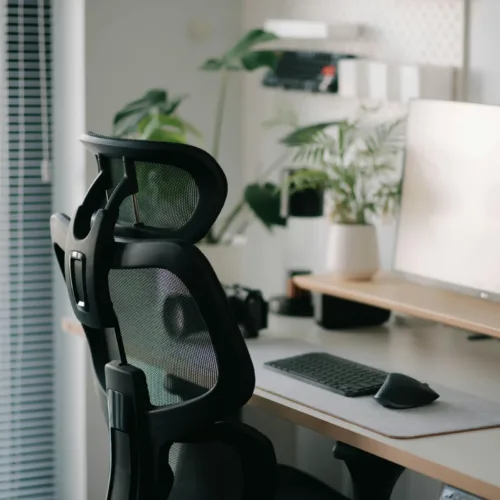
If you’re sitting, then I recommend an ergonomic chair with a high back and excellent lumbar and armrest support. Keep the seat height high (19” +) and possibly with a footrest. If you’re standing, ensure your desk is elevated to about an inch below elbow level with an antifatigue mat to stand on.
Is a footrest always necessary?
Not at all. These are most useful if they provide foot support while the chair seat is elevated to allow for a neutral arm position at the keyboard.
Does backlighting harm your eyesight?
Yes, it can. Ideally, there should not be additional lighting behind the monitor or behind you, as this can impact contrast and/or cause glare. Ideally, task lighting should be off to the side and directed at the keyboard and any documents you’re working with.
I get a lot of pain in my elbow from my armrest. I bought a cushioned armrest. Is there anything else I can do?
The causes of medial and lateral elbow pain are often quite different (i.e., tennis elbow vs. golfer’s elbow). The armrest cushion will help, but the muscles and tendons that control the wrist and fingers start at the elbow, so maintaining a more neutral wrist position can be very helpful, as can a gel wrist bar and a smaller keyboard to keep the mouse closer.
What can I do if the optimal armrest height of the chair hits the desk when at the rearmost position? It prevents the chair from being close enough to the desk.
A keyboard tray is a good option. Removing the armrest and possibly using a clamp-on armrest is also a good option. Otherwise, some armrests on ergonomic chairs go in and out and swivel, which allows the user to get closer.
I get frequent headaches (mostly in the forehead) but notice tightness in the back of my neck and head, too. My monitor is already at arm’s length, but how can I prevent these?
Always see your doctor first, but as far as your workstation goes, try to minimize contrast by turning down overhead lighting (if possible), avoiding window or sun reflection, and adjusting screen lighting to reduce contrast between the monitor screen and room lighting. Some ergonomic chairs also have adjustable neck support, which can help as well.
GENERAL CONCERNS
I’m about to be on leave for a minor surgery on my hand. Does it make sense to have an ergonomic assessment now to help make my workstation more comfortable and supportive of my recovery once I return to work?
Yes, you want to make sure you can position your hand/wrist in the most ideal and neutral position upon return. Also, if any ergonomic equipment is recommended, try to have it in place before you return to ensure you’re not irritating any areas, including those affected by surgery.
If you are experiencing swelling in the hands, is it too late to remedy that?
For swelling, you should see your healthcare provider, but an ergonomic assessment may still help to identify ways to reduce strain, which can assist in recovery or prevent further aggravation.
How often should you stand during the workday?
Aim for 10 to 20 minutes every hour.
What should we do if we are already experiencing problems? Which professional can help us heal so that we can start preventing future problems in good health?
I would recommend an occupational health physician to assess the diagnosis, but a kinesiologist, occupational therapist, or ergonomics specialist could certainly help with accommodations at work.
I struggle with progressive lenses in my glasses. It seems like I tilt my neck very awkwardly to try to find a sweet spot to look out of my lenses. Any suggestions on this?
This is a very common concern. If you wear progressive lenses, you usually have to forget the standard guideline for monitor height and keep the monitor low so that you can read out of the near part (or the progressive lens).
Proactive ergonomics assessments can play a critical role in preventing injuries, supporting employee comfort, and reducing the risk of productivity loss and absence. With the right expertise, organizations can move beyond reactive fixes to implement practical, evidence-based solutions that support employees in a wide range of roles and work environments. Our team brings deep clinical and occupational health experience to help employers identify risks early, make meaningful adjustments, and build safer, more sustainable workplaces. Click here to learn more about how ergonomics assessments can support your workforce.